
Imgur UK Access
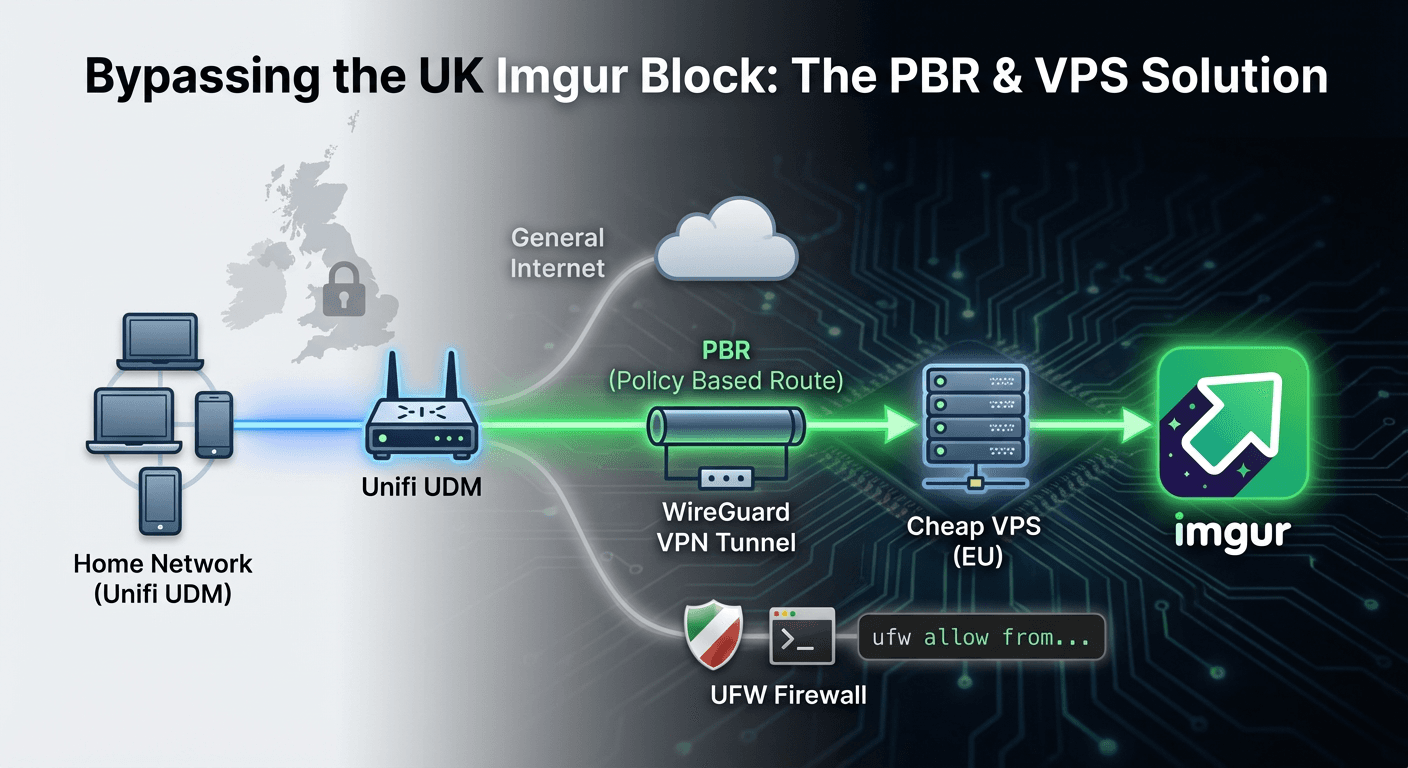
As everyone in the UK knows, the recent (and controversial) Online Safety Act has led many websites to resort to blocking UK access instead of implementing pointless and expensive ID/age verification controls.
This has had a knock-on effect for certain sites like Imgur, which is still heavily used across different sites and forums, meaning that any time someone posts an Imgur link, I just get a stupid Content not viewable in your region message.
I ignored it for a while, then decided to explore different options to solve it, but I had a couple of different criteria:
- It needs to work on multiple devices
- I didn't want to have to spend anything
- It only needs to apply to Imgur and nothing else
Since I still run a collection of dirt-cheap VPSs, my initial thought was just to spin up a self-hosted instance of an Imgur front-end alternative, such as Rimgo and set an internal DNS entry for imgur.com to route to the Rimgo instance. However, thinking through it more, I realised we'd have a cert issue - I can't serve HTTPS traffic for a domain I don't own, even if I send it to my own server. I can do it, but I'd have to bypass the cert error every time or install custom certs - which isn't exactly multiple-device friendly.
Fine, back to the drawing board.
To get all devices working, the only option I can see is routing the traffic somewhere else via my Unifi UDM. VPNs were originally out of the question, but duh, I'm running a ton of VPSs. Why not turn that into a VPN server and route via that!
Seems a relatively simple plan then:
- Pick a VPS with low latency to the UK
- Install Wireguard Server on the VPS
- Connect the VPN on my USG
- Create the PBR (Policy Based Route) on the USG
Picking the VPS is easy, a while back I built a simple self-hosted app to collate and display all my servers specs (more on this in a future post). Didn't need anything powerful, so I settled on one of my cheap Deluxhost servers:
Intel(R) Xeon(R) Gold 6122 CPU @ 1.80GHz
2 Cores @ 1.80 GHz
8 GB RAM
77 GB storage
London: 8.5 ms
€15/year
Cool, server chosen. Just need to make sure Imgur isn't being blocked and that you get a HTTP 200:
curl -I https://i.imgur.com/zSJgfAT.jpeg
HTTP/2 200
content-type: image/jpeg
[...]
No issues there, onto installing Wireguard.
There's plenty of different methods for getting this installed and configured, but lets face it, you always want the easiest one. Searching around led me to: https://github.com/angristan/wireguard-install
Dead simple install, just follow the steps, make a copy of the client config file and Wireguard is ready to go.
Now since this was a fresh Ubuntu install with a direct public IP, it's worth locking down. It's not needed but if it's only going to be used from my home (that has a static IP) then I might as well.
ufw default deny incoming
ufw default allow outgoing
ufw allow from $homeIP
ufw enable
ufw status verbose
I think best practice is to configure access on each of the ports you're using, but meh, I trust my home network!
Configuring the VPN on the Unifi UDM was dead easy too:
Upload the config file and enable Content Wizard. Imgur use a few domains, so I chose the IP option since they all seem to use the same static IP's (served by Cloudflare), so this save having to configure all their domains:
dig imgur.com +short
199.232.196.193
199.232.192.193
And that's it! Wait for the VPN connection to establish and confirm everything works as expected.